
SMB Finance Picks: Expense Reimbursement Apps That Actually Get Used
For most small and midsize businesses, Expensify is the best overall expense reimbursement app, thanks to its receipt-scanning automation and broad accounting integrations. Ramp is the better call for companies that want corporate cards bundled with reimbursement. Everlance wins for mileage-heavy teams, Rydoo suits travel-intensive operations, and Zoho Expense fits budget-conscious SMBs already in the Zoho ecosystem. The ranking below weighs adoption ease, receipt automation, integration depth, and reimbursement speed, since those four factors determine whether an app actually gets used or quietly abandoned after month two.
TL;DR:
- For small and midsize businesses, Expensify remains the top choice due to its receipt-scanning automation and broad accounting integrations, especially for SMBs with simple expense workflows.
- Ramp offers a better solution for companies that want to bundle corporate cards with expense tracking, reducing the need for traditional reimbursements through its card platform.
- Teams with high travel activity benefit most from Rydoo’s integrated travel booking and expense capture, while mileage-heavy operations should consider Everlance’s IRS-compliant automatic mileage logging.
- Reimbursement speed varies: Ramp and Brex use their card float, offering fast payouts, whereas Expensify and Zoho Expense typically route through ACH transfers within one to two business days.
- High-risk or multi-state businesses, such as cannabis operators, should prioritize integrated payroll and compliance solutions like Rollwithpaid, as standalone expense apps do not address complex regulatory and tax filing requirements.
Table of Contents
- Quick Shortlist: Top Expense Reimbursement Apps at a Glance
- What Each Expense Reimbursement App Actually Offers
- How to Choose the Right Expense App for Your Team
- Understanding Pricing Models for Expense Management Software
- Integrations and Accounting Sync: What to Test Before You Commit
- Getting Employees to Actually Use the App
- When an Expense App Alone Isn’t Enough
- A Simple App vs. Suite Framework for SMBs
- A Better Fit for High-Risk and Multi-State Operators
- Sources
- FAQ
Quick Shortlist: Top Expense Reimbursement Apps at a Glance
Picking the right tool from a crowded field of expense management apps usually comes down to matching a vendor’s core strength to your team’s spending pattern. Here’s how the eight most-recommended platforms stack up before you dig into the details.
- Expensify: Best for SMBs wanting automated receipt capture; standout feature is SmartScan OCR, which reads merchant, date, and amount off a photo; pricing runs per active user with a free tier for individuals.
- Zoho Expense: Best for teams already using Zoho or Google Workspace; standout feature is deep Zoho Books sync; pricing is per user with a generous free plan for small teams.
- Ramp: Best for companies that want corporate cards and expense tracking in one system; standout feature is automatic receipt matching tied to card swipes; pricing is largely free for the core platform, funded by card interchange.
- Brex: Best for venture-backed or fast-scaling companies needing multi-currency spend; standout feature is instant card issuance with built-in expense controls; pricing is bundled with its card and banking products.
- Emburse: Best for mid-market finance teams needing configurable approval chains; standout feature is granular policy enforcement; pricing is quote-based and scales with headcount.
- Rydoo: Best for travel-heavy teams; standout feature is travel booking paired directly with expense capture; pricing starts near $12 per user per month in editorial testing.
- Everlance: Best for mileage-heavy teams and freelancers; standout feature is IRS-compliant automatic mileage logging; pricing includes a free individual tier with paid team plans.
- FreshBooks: Best for freelancers and very small businesses that need invoicing and expense tracking in the same tool; standout feature is bundled bookkeeping; pricing is a flat monthly subscription with expense tracking included in most tiers.
Reimbursement delivery matters as much as the sticker price. Ramp and Brex lean on their card float rather than traditional ACH transfers, while Expensify and Zoho Expense route reimbursements through direct ACH deposit, typically landing in one to two business days once approved.
What Each Expense Reimbursement App Actually Offers
Here’s a closer look at how each platform handles receipts, approvals, and payouts, so you can see where the real differences show up once you’re past the marketing page.
Expensify
Expensify built its reputation on making receipt capture nearly effortless, and that still holds up as its core strength.
- SmartScan OCR extracts merchant, date, amount, and currency from a photo in seconds and auto-creates the expense entry, supporting more than 160 currencies.
- Card transaction matching reduces duplicate entries when employees also carry a company card.
- Custom approval workflows let you route expenses by department, amount threshold, or project code.
Best for: SMBs and travel-heavy teams that want the least manual data entry possible. Pricing shape: per active user, billed monthly, with a limited free tier for solo users. Top integrations: QuickBooks, Xero, NetSuite, and roughly 45 accounting connections total. Watch for: the free tier caps out fast, and per-user costs climb quickly once your submitter count grows past a small pilot group.
Pro Tip: Run Expensify’s SmartScan against a handful of crumpled gas station and restaurant receipts before you commit. OCR accuracy on faded thermal paper is where a lot of “great in the demo” apps quietly fall apart.

Zoho Expense
Zoho Expense is the practical choice if your books already live in Zoho Books or you’re deep in Google Workspace for approvals.
- Receipt auto-scan reads line items and categorizes spend against your chart of accounts.
- Multi-stage approval routing works well for companies with regional managers and a central finance team.
- Mileage tracking uses GPS auto-detection rather than manual entry.
Best for: cost-conscious SMBs and teams already using other Zoho products. Pricing shape: per-user monthly fee with a free plan covering a small number of users. Top integrations: Zoho Books natively, plus QuickBooks and Xero. Watch for: support and template flexibility trail the bigger platforms once you outgrow basic workflows.
Ramp
Ramp pairs a corporate card program with expense tracking, so the reimbursement conversation partly disappears because spend happens on the card in the first place.
- Automatic receipt matching pairs card swipes with photographed receipts sent by text or email.
- Real-time spend limits let managers cap categories before overspending happens, not after.
- Accounting sync pushes categorized transactions directly into your general ledger.
Best for: companies that want to replace expense reports with a smarter card program. Pricing shape: the core platform is largely free, monetized through card interchange rather than subscription fees. Top integrations: QuickBooks, NetSuite, Xero, and Gusto for payroll-adjacent syncing. Watch for: the model favors companies that can qualify for and manage a corporate card program; it’s less useful if your team mostly fronts cash and needs classic reimbursement.
Brex
Brex targets a similar niche to Ramp but leans harder into multi-currency support and fast-growing companies with international spend, according to Forbes Advisor’s roundup.
- Instant virtual and physical card issuance for new hires or contractors.
- Multi-currency transactions and reimbursements without manual conversion math.
- Built-in spend controls tied to vendor category and department budget.
Best for: venture-backed or multi-currency businesses with distributed teams. Pricing shape: bundled into Brex’s banking and card products rather than sold as a standalone subscription. Top integrations: NetSuite, QuickBooks, and several HR platforms. Watch for: the underwriting and onboarding process is built for a certain company profile, and it isn’t the right fit for cash-heavy or high-risk industries.
Emburse
Emburse serves mid-market finance teams that need policy enforcement more rigid than a typical SMB tool provides.
- Configurable approval chains support complex org structures with multiple sign-off tiers.
- Policy violation flags catch out-of-policy spend before it reaches a manager’s queue.
- Detailed audit trails support compliance-heavy industries.
Best for: growing companies that have outgrown basic expense apps and need real policy control. Pricing shape: quote-based, scaling with employee count and module selection. Top integrations: major ERPs including NetSuite and Sage Intacct. Watch for: the quote-based model makes upfront budgeting harder, and smaller teams may find the feature set is more than they need.
Rydoo
Rydoo folds travel booking into the expense workflow, so a flight or hotel booked through the platform generates its expense line automatically.
- Travel booking and expense capture live in the same app, cutting duplicate data entry for road warriors.
- Per diem calculations adjust automatically based on destination and trip length.
- Multi-language and multi-currency support suits international travel teams.
Best for: travel-heavy teams that book frequently and want one system for the whole trip lifecycle. Pricing shape: starts around $12 per user per month based on editorial testing. Top integrations: major accounting platforms plus some travel booking tools. Watch for: teams with minimal travel spend will pay for features they rarely touch.
Everlance
Everlance is built around one job: tracking mileage accurately enough to survive an audit, using IRS-compliant automatic logging.
- Automatic trip detection logs mileage without the driver remembering to start a timer.
- Reports export in a format that matches IRS mileage documentation requirements.
- A free tier covers individual freelancers; team plans add admin controls and reporting.
Best for: delivery, field service, and sales teams where mileage is the dominant expense category. Pricing shape: free for individuals, per-user monthly fee for team plans. Top integrations: lighter than the bigger suites, focused mainly on export to common accounting formats. Watch for: it’s a mileage specialist, not a full expense platform. Pairing it with a broader tool is common for mixed-spend teams.
FreshBooks
FreshBooks is less a dedicated expense app and more a small-business bookkeeping platform with expense tracking built in.
- Expense capture ties directly into invoicing, so billable expenses can be passed through to clients.
- Bank and card feed imports auto-categorize recurring spend.
- Mobile app allows receipt photos on the go.
Best for: freelancers and very small businesses that want invoicing and expense tracking under one subscription rather than two separate tools. Pricing shape: flat monthly tiers rather than per-active-user billing. Top integrations: fewer deep accounting syncs since FreshBooks is largely a standalone bookkeeping system. Watch for: it’s not built for multi-employee reimbursement workflows or complex approval chains.
How to Choose the Right Expense App for Your Team
Match the tool to how your business actually spends money, not to whichever app has the flashiest demo. Work through these four questions before you sign a contract.
- Who submits expenses, and how often? A five-person team with occasional client dinners has different needs than a 50-person field service crew filing mileage weekly.
- Do you need corporate cards baked in? If yes, Ramp or Brex likely beats a standalone reimbursement app. If your team fronts personal cash, prioritize fast ACH reimbursement instead.
- How travel or mileage-intensive is your spend? Heavy travel points toward Rydoo; heavy mileage points toward Everlance; light, mixed spend is fine with a generalist like Expensify or Zoho Expense.
- What accounting system does finance already use? Confirm two-way sync, not just a data export, with QuickBooks, Xero, or NetSuite before you commit.
During any demo, ask vendors directly: how often does the accounting sync run, and is it real-time or batched overnight? How fast are reimbursements actually paid out once approved, and by what method? How accurate is receipt OCR on damaged or handwritten receipts, not just clean printed ones? Can approval workflows be customized without a support ticket?
Watch for three red flags that predict a bad rollout: pricing that’s only available “by quote” for a supposedly simple SMB tool, export formats that lock your data into proprietary structures, and mobile app reviews on G2 or the app stores that repeatedly mention OCR misreads. Any one of those tends to snowball into finance-team headaches within a quarter.
Understanding Pricing Models for Expense Management Software
Most expense reporting tools price themselves one of three ways, and the difference matters more than the sticker price suggests. Free tiers work fine for solo freelancers or a two-person shop, but per-active-user pricing on tools like Expensify or Zoho Expense can climb fast as headcount grows, since vendors often price by active submitter rather than flat seat count. Card-linked platforms like Ramp flip the model entirely, offering the core software free and monetizing through card interchange instead.
- Free tiers: fine for individuals or very small teams; watch submission or receipt limits.
- Per-user monthly: common for Expensify, Zoho Expense, and Rydoo; costs scale directly with headcount.
- Card-interchange funded: Ramp and Brex fall here; software is largely free but tied to adopting their card program.
- Enterprise quote-based: Emburse and similar platforms; budget for a sales cycle and negotiate module pricing separately.
Hidden costs show up in ACH transfer fees, add-on modules for advanced approval routing, and extra admin seats that some vendors bill separately from active submitter seats. Always ask for the total cost at your projected headcount in twelve months, not just the pilot price.
Integrations and Accounting Sync: What to Test Before You Commit
An expense app that doesn’t talk cleanly to your accounting system creates more manual work than the paper process it replaced. Before signing, verify whether the sync is one-way (export only) or true two-way sync that reflects approvals and edits back into the app. Confirm how cost centers and departments map to your chart of accounts, since mismatched categories are the most common source of reconciliation headaches after go-live.
- Check reconciliation cadence: real-time sync versus a nightly or weekly batch job.
- Confirm whether payroll platforms like Gusto sync automatically for reimbursements routed through payroll rather than ACH.
- Ask whether any middleware or connector fees apply beyond the core subscription.
- Test the export by running one full mock reimbursement, from receipt capture through posting in your ledger, to catch mapping errors before full rollout.
Timing delays are the sneakiest gotcha. An app might sync nightly rather than in real time, which means your books look wrong for a few hours every day even though nothing is actually broken.
Getting Employees to Actually Use the App
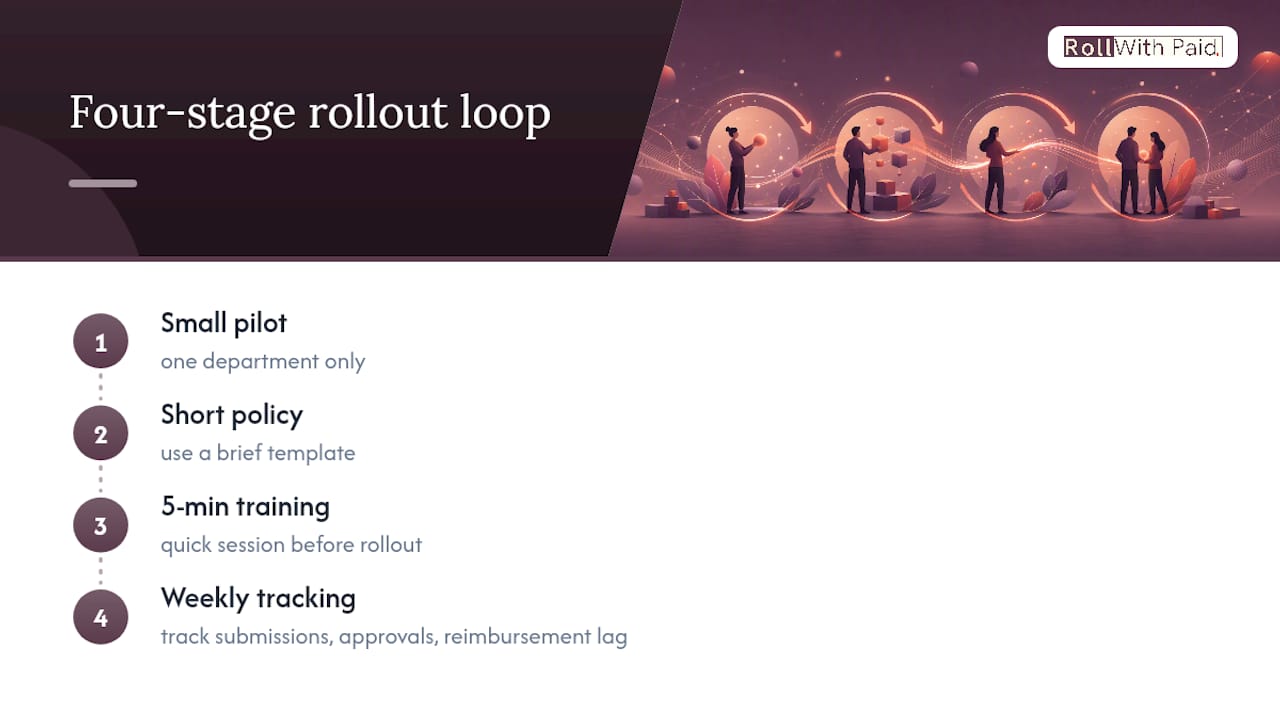
The biggest hidden cost in expense management isn’t the subscription fee. It’s low compliance, when employees skip submissions or batch three months of receipts at once. Ease of use directly correlates with adoption and ROI, so mobile-first simplicity matters more than any feature checklist. Start with a small pilot limited to one department, a short policy template, and a five-minute training session rather than a company-wide rollout on day one. Track submission rate, average approval time, and reimbursement lag weekly for the first month, then adjust reminders or approval routing based on where the bottleneck actually sits.
It’s usually friction in the mobile capture flow itself.*
When an Expense App Alone Isn’t Enough
Standalone expense apps work well for straightforward SMBs with a single state of operation and a simple W-2 workforce. The math changes when you’re running multi-state payroll, managing contractor complexity, or operating in a regulated, high-risk industry like cannabis, where audit exposure and workers’ compensation classification carry real financial stakes.
In those cases, bundling expense reconciliation into a broader payroll and Employer of Record relationship usually reduces both cost and compliance risk more than adding another point solution. Rollwithpaid built its practice around exactly this gap: high-risk operators who need payroll, HR compliance, and expense workflows handled by a partner that already understands the regulatory terrain, rather than stitched together across three disconnected vendors. An expense app solves data capture. It doesn’t solve multi-state filing accuracy or workers’ comp classification, and that’s where an integrated approach earns its cost.
A Simple App vs. Suite Framework for SMBs
Favor a lightweight app like Expensify or Everlance when your spend is simple, your headcount is small, and your accounting stack is already stable. Lean toward a bundled platform, or an integrated payroll partner, once approval complexity, multi-state filings, or audit exposure start dominating your finance team’s time. The BLUF picks above still apply here: Expensify for most SMBs, Ramp for card-first teams, Everlance for mileage. Just recognize that the right tool solves data capture, not organizational complexity.
— Leah
A Better Fit for High-Risk and Multi-State Operators
Standalone expense apps solve receipt capture and reimbursement speed well, but they stop right where payroll compliance gets complicated. Rollwithpaid is the alternative for cannabis operators and other high-risk businesses that need expense reconciliation handled inside a payroll and HR system built for their industry, not bolted onto a generic app that has no idea what a workers’ compensation classification code even is.
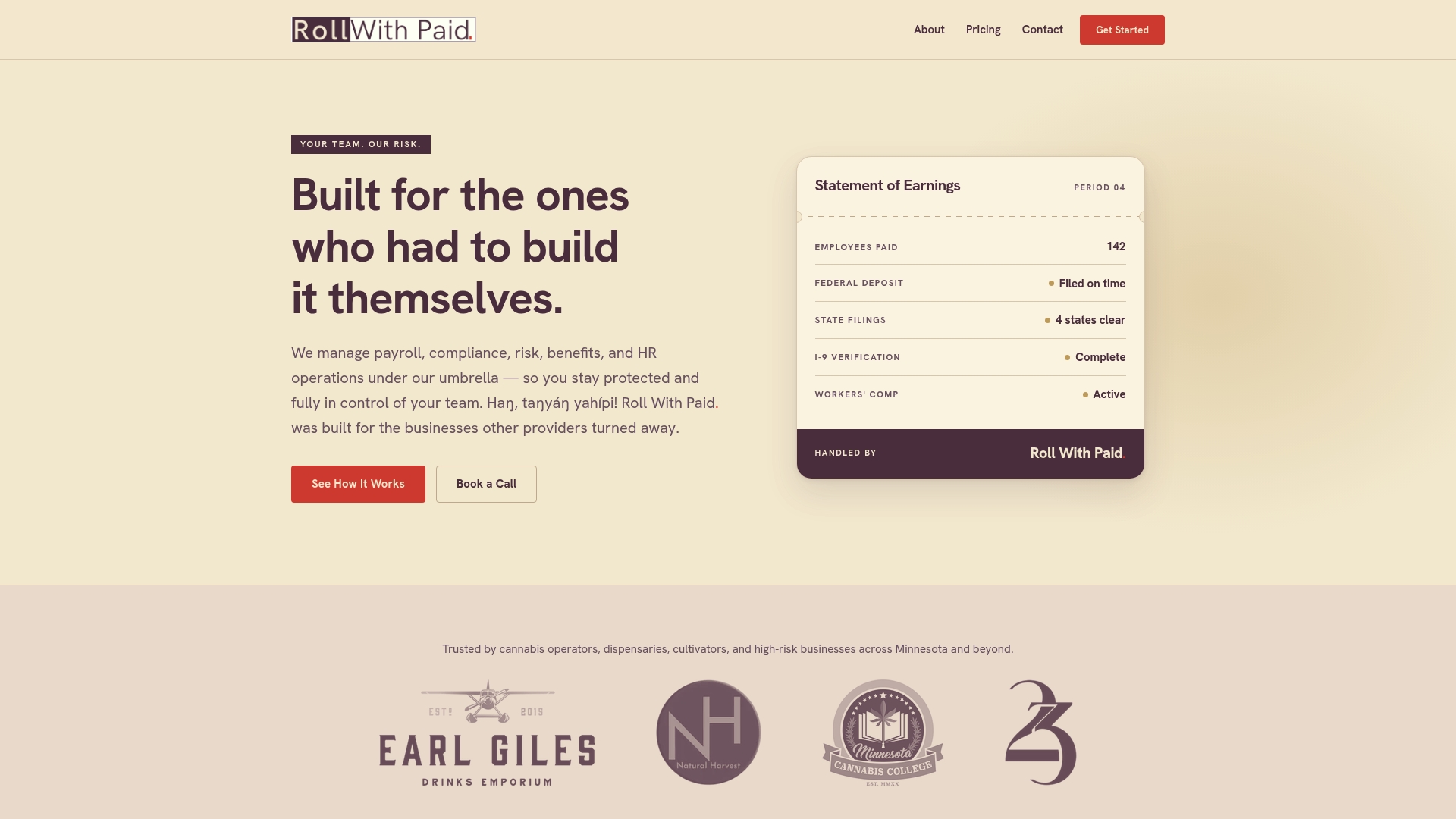
Rollwithpaid offers payroll, I-9 compliance, multi-state filings, and Employer of Record services for high-risk industries. That means expense reimbursements, payroll runs, and regulatory documentation live under one audit-ready system instead of three disconnected logins. If your business is already juggling multi-state payroll or preparing for a workers’ compensation audit, an expense app was never going to solve that problem alone.
Start by reviewing Rollwithpaid’s payroll and HR services to see how the Employer of Record model fits your operation, and read 5 Payroll Mistakes Cannabis Businesses Can’t Afford for a closer look at where standalone tools typically fall short.
Sources
FAQ
What Is the Best App for Tracking Expense Reimbursement?
Expensify leads for most SMBs because of its SmartScan receipt OCR and broad accounting integrations, though Ramp is a strong alternative for teams that want corporate cards bundled with tracking.
Is Expensify Better Than Concur?
Expensify generally offers a simpler mobile experience and faster setup for SMBs, while Concur is built for larger enterprises with more complex, multi-layered approval hierarchies.
What Is the Best App for Managing Money and Business Expenses?
For pure expense tracking paired with basic bookkeeping, FreshBooks works well for freelancers and very small businesses, while Zoho Expense fits teams needing dedicated expense workflows tied to accounting.
What Is the Best Free Expense Management App?
Everlance offers a genuinely useful free tier for individual mileage tracking, and Zoho Expense’s free plan covers small teams with basic receipt capture and reporting needs.
How Do Cannabis Businesses Handle Expense Reimbursement Differently?
Cannabis operators face added complexity from multi-state regulations and workers’ compensation classification, which is why many pair a standard expense app with an Employer of Record partner rather than relying on the app alone.
Recommended
Roll With Paid. is not a law firm and does not provide legal advice. This article summarizes Minnesota law as of August 2026 and is general information only. Tip arrangements are fact-specific; before changing a policy, consult employment counsel or contact DLI Labor Standards at 651-284-5075.