
12 Employee Survey Tools for HR Teams: Buyer Picks and Payroll Option
For most HR teams, the best overall employee survey tool is Culture Amp, thanks to its manager workflow integration and action-planning tools. Gallup Access wins for validated question science, SurveyMonkey and Typeform lead for flexible, low-cost survey building, and 15Five suits mid-market teams that want engagement and performance data in one place. The right pick depends less on brand recognition than on whether the platform turns responses into action.
TL;DR:
- Culture Amp is ideal for mid-sized and enterprise teams that want actionable survey data integrated into manager workflows, with custom pricing based on employees.
- Platforms like Gallup Access offer validated question banks and benchmarking to ensure reliable comparisons, but may have less flexibility for custom surveys outside its core frameworks.
- Mobile responsiveness is crucial for frontline workers; Typeform, SurveyMonkey, and Connecteam deliver the best respondent experience for short pulse surveys on phones.
- For effective action, organizations should establish a regular survey cadence, assign clear ownership for follow-up, and quickly implement changes based on feedback to boost trust and engagement.
- When choosing a platform, prioritize features such as analytics depth, HRIS integration, anonymization controls, and branding customization, plus request sample reports to verify benchmarking relevance.
Table of Contents
- What Are the Best Employee Survey Tools by Category?
- How Do the Top Employee Engagement Survey Platforms Compare?
- Vendor Profiles: What Each Platform Actually Offers
- How Do You Choose the Right Survey Platform for Your Team?
- Which Survey Questions Actually Produce Useful Data?
- How Do You Turn Survey Results Into Real Action?
- How Rollwithpaid’s HR Experience Shapes Employee-Listening Programs
- What Should HR Teams Know About Data Privacy Compliance?
- Does the Survey Experience Work Well on Mobile?
- Can You Customize Surveys to Match Your Company’s Brand?
- Why Continuous Listening Beats the Annual Survey Habit
- A Managed HR Alternative for Executing on Survey Insights
- Sources
- FAQ
What Are the Best Employee Survey Tools by Category?
Every HR team asks a version of the same question: which employee engagement survey platform actually fits our size, budget, and follow-through capacity? The answer changes depending on what “fit” means to you. A 40-person dispensary chain and a 4,000-employee logistics company need different tools, even if they’re both trying to measure the same thing: whether people trust their managers and plan to stay.
Here’s how the shortlist breaks down by buyer profile.
- Best overall: Culture Amp. Its manager-facing dashboards and pre-built action templates close the gap between “we got the data” and “we did something with it.” Pricing is custom, quoted per employee.
- Best for mid-market teams: 15Five. It merges performance check-ins with pulse surveys, so managers see feedback trends inside the same tool they use for one-on-ones. Priced per user, tiered by feature set.
- Best for small and mid-sized businesses: Typeform or Google Forms, depending on budget. Typeform’s conversational format lifts completion rates for short pulses; Google Forms costs nothing but leaves analytics and anonymity controls to you.
- Best for validated science and benchmarking: Gallup Access, built on the research-validated Q12 question bank with more than 350 vetted items and industry benchmark comparisons.
- Best for NPS-style and rapid deployment: SurveyMonkey, which offers ready-made eNPS templates and broad distribution channels (email, SMS, embedded links) without much setup time.
- Best free or basic option: Microsoft Forms or Google Forms. Neither includes text analytics or benchmarking, but both work for a quick, one-off pulse when budget is zero.
Only a handful of platforms on this list, including Gallup Access and QuestionPro, ship with research-backed question banks or built-in benchmarking out of the box. Most others rely on you writing your own items or importing a template library, which is fine for a pulse check but risky for anything you plan to compare year over year.
If you’re still narrowing the field, request a trial account and a sample report before signing anything. Ask vendors for their standard RFP response template. Most enterprise platforms, including Qualtrics EmployeeXM and Microsoft Viva Glint, have one ready. A 15-minute demo rarely tells you enough. Ask for a working sandbox instead.
How Do the Top Employee Engagement Survey Platforms Compare?
The vendors below represent the range HR teams actually shortlist, from enterprise experience management suites to free form builders. Pricing, shapes, and feature depth vary enough that a side-by-side view saves real evaluation time.
| Platform | Best For | Pricing Model | Survey Types | Analytics & AI | Anonymity | HRIS Integration |
|---|---|---|---|---|---|---|
| Culture Amp | Mid-market and enterprise manager coaching | Custom, per employee | Engagement, pulse, 360, onboarding, exit | Text analytics, action recommendations | Configurable anonymity thresholds | Broad HRIS connectors |
| Qualtrics EmployeeXM | Large enterprise, cross-channel insight | Custom, enterprise quote | Engagement, pulse, 360, exit, lifecycle | Advanced analytics, benchmarking | Enterprise-grade controls | Extensive enterprise integrations |
| Gallup Access | Validated question science and benchmarking | Custom, subscription | Engagement, pulse, onboarding | Benchmark comparisons, Q12 scoring | Standard anonymity settings | Limited, focused on survey data |
| SurveyMonkey | Flexible distribution at scale | Per-user tiers plus free plan | Engagement, pulse, exit, NPS | Basic sentiment tagging | Standard anonymity settings | Common integrations (Slack, HRIS exports) |
| 15Five | Performance plus engagement in one tool | Per user, tiered | Engagement, pulse, 360 | Trend dashboards, manager insights | Configurable | Native HRIS sync |
| Lattice | Unified performance and survey data | Per user, tiered | Engagement, pulse, 360, onboarding | Goal and performance correlation | Configurable | HRIS sync |
| QuestionPro | AI-assisted survey creation | Per user or custom | Engagement, pulse, 360, exit | AI question generation, text analytics | Configurable | Common HRIS integrations |
| Typeform | Respondent experience for short surveys | Per user, free tier available | Pulse, onboarding, quick checks | Basic response analytics | Standard | Zapier and API-based |
| Google Forms | Free, minimal setup | Free | Basic pulse, one-off surveys | None built in | None built in | None native |
| WorkTango | Analytics-driven engagement with recognition | Custom quote | Engagement, pulse, recognition-linked | Analytics dashboards | Configurable | HRIS integrations available |
| Rippling | HRIS-native survey automation | Bundled with HRIS platform | Engagement, pulse, lifecycle-triggered | Lifecycle-based targeting | Configurable | Native, since it’s the HRIS |
| Microsoft Forms | Free, Microsoft users | Free with Microsoft | Basic pulse | None built in | None built in | Microsoft ecosystem only |
Pricing for enterprise platforms like Qualtrics and Culture Amp is quoted per contract, so treat the “custom” label as a signal to request a formal quote rather than a public rate card. Data reflects publicly listed vendor information as of early 2026 and may shift as vendors update tiers.
Vendor Profiles: What Each Platform Actually Offers
Procurement teams rarely need marketing copy. They need a straight answer: what does this tool do, who is it built for, and what’s the catch? Here’s the rundown across the platforms HR teams most commonly shortlist.
-
Culture Amp is a continuous feedback platform built around manager coaching. It fits mid-market and enterprise teams that want survey data to feed directly into one-on-one conversations rather than sit in a static report. The standout is its library of pre-built action templates tied to specific survey themes. Pros: strong manager adoption tools, solid benchmarking. Caveat: pricing requires a sales conversation, and smaller teams may find the feature depth more than they need.
-
Qualtrics EmployeeXM targets large enterprises that need to connect employee data with customer experience and operational metrics. Its standout is depth. Advanced statistical modeling, predictive analytics, and cross-channel benchmarking that few competitors match. Pros: unmatched analytical depth, strong benchmarking library. Caveat: the learning curve and implementation timeline suit organizations with a dedicated people analytics function, not a solo HR generalist.
-
SurveyMonkey remains the default for teams that want flexibility without a steep setup process. Its template library covers engagement, exit, and eNPS surveys, and distribution works across email, embedded links, and SMS. Pros: fast setup, broad template selection. Caveat: text analytics and action-planning features lag behind purpose-built engagement platforms.
-
15Five blends performance management with pulse and engagement surveys, so managers see feedback trends alongside goal progress. Continuous feedback tools that live inside existing manager workflows tend to drive higher follow-through than standalone survey tools. Pros: tight performance-engagement integration, manager-friendly interface. Caveat: heavier on performance features than pure survey science.
-
Lattice offers a similar unified approach, pairing goals, performance reviews, and engagement surveys in one system. Pros: single source of truth for people data, useful for smaller people teams juggling multiple systems. Caveat: survey question banks are less research-backed than Gallup’s.
-
QuestionPro leans into AI-assisted survey building. Its question generator and text analytics can summarize open-ended responses and surface recurring themes, which matters when a survey pulls in hundreds of free-text comments a small HR team could never read manually. Pros: strong AI tooling, competitive pricing for the feature set. Caveat: benchmarking library is thinner than Gallup’s or Qualtrics’s.
-
Typeform prioritizes the respondent’s experience. Its conversational, one-question-at-a-time format tends to lift completion rates on short pulses and onboarding checks. Pros: high engagement from respondents, clean interface. Caveat: not built for complex 360-degree review structures.
-
Google Forms and Microsoft Forms are the free-tier options. Neither includes anonymity controls, benchmarking, or text analytics, but both work for a single, low-stakes pulse check when there’s no budget line for a dedicated platform. Pros: zero cost, instant setup. Caveat: no built-in privacy safeguards, so you’re on your own for anonymization and data handling.
-
Gallup Access is the platform to choose when question validity matters more than flashy dashboards. It’s built on the Q12 framework, which links twelve specific engagement statements to measurable outcomes like productivity, retention, and customer loyalty. Pros: decades of validation research, strong benchmarking. Caveat: less flexible for teams that want to build highly customized surveys outside the Q12 structure.
-
WorkTango pairs engagement analytics with peer recognition, on the theory that surfacing problems and reinforcing good behavior work better together. Pros: analytics plus recognition in one subscription. Caveat: smaller integration ecosystem than the enterprise-tier platforms.
-
Rippling takes a different angle entirely: it’s an HRIS with survey functionality bolted on, so surveys trigger automatically off lifecycle events like a new hire’s 30-day mark or an exit date. Lifecycle-triggered surveys tied to HR data solve a real problem: outdated rosters that send exit surveys to people who already left three months ago. Pros: roster accuracy, automation. Caveat: survey design tools are secondary to its core HRIS function.
-
Microsoft Viva Glint and Workday Peakon Employee Voice round out the enterprise tier for organizations already inside the Microsoft or Workday ecosystem. Both offer continuous listening and benchmarking, and both work best when your HR stack already lives on that platform. Pros: native ecosystem integration. Caveat: switching costs are high if you’re not already a Microsoft or Workday customer.
Beyond this core group, the market includes a long tail of specialized tools: Assembly, Bonusly, Motivosity, Nectar, Achievers, and C.A. Short Company lean toward recognition and rewards rather than pure survey science. AdvantageClub.ai, Pebb, CultureMonkey, ClearCo, Workleap, and Mo serve niche engagement or wellness use cases. Connecteam and BambooHR bundle basic survey tools into broader HR platforms built for frontline or small-business teams. Leapsome, Small Improvements, PerformYard, and Vantage Pulse focus on performance-review cycles with pulse surveys layered in. Zoho Survey and JotForm function as general-purpose form builders, similar in scope to Google Forms but with more customization options. Deel offers survey capability as part of its global payroll and HR suite, useful if you’re already running international payroll through it. FeedbackPulse rounds out the list as a dedicated pulse-survey tool aimed at smaller teams. None of these require a dedicated profile here, but they’re worth a look if your primary need is recognition, payroll bundling, or a lightweight form builder rather than a full engagement platform.
How Do You Choose the Right Survey Platform for Your Team?
Picking a platform on features alone is how teams end up with a tool nobody uses past the first quarter. Run every vendor through the same checklist and the decision gets a lot less subjective.
Core evaluation criteria:
- Survey design flexibility: can you build engagement, pulse, 360, onboarding, and exit surveys without needing a consultant?
- Analytics depth: does it offer text analytics, sentiment scoring, or key driver analysis, or just raw percentages?
- Action planning: is there a built-in workflow for assigning follow-up tasks to managers, or does the report just sit in a dashboard?
- Anonymity controls: can you set minimum group-size thresholds so individual responses stay unidentifiable?
- HRIS integration: does it sync rosters automatically, or will someone manually upload a spreadsheet every cycle?
- Security posture: what certifications (SOC 2, ISO 27001) does the vendor hold, and where is data stored?
- Benchmarking: are comparisons based on your industry and company size, or a generic global average?
- Pricing transparency: is the rate card public, or does every conversation start with “let’s schedule a call”?
- Support quality: is there a named customer success contact, or a ticket queue with a 48-hour response window?
Questions to ask in every demo:
- Can we export raw response data in a standard format if we switch vendors later?
- How does roster sync work, and what happens when someone changes departments mid-cycle?
- What’s the minimum group size before an anonymity threshold kicks in?
- Walk us through what happens after a survey closes. Who sees the action-plan workflow first?
- What benchmark data backs your comparison scores, and how often is it refreshed?
Red flags that should end the conversation:
- No action-planning feature. If the platform stops at “here’s your engagement score,” you’ll be building follow-up spreadsheets manually.
- Opaque pricing with no rate card and no willingness to give a ballpark figure before a 45-minute call.
- Shallow analytics. If open-text responses require manual reading with no theme extraction, expect that data to go unused.
- Weak or absent HRIS integration, which means someone owns a recurring manual data-upload task forever.
Pro Tip: Ask every vendor for a sample benchmark report before you sign anything. If they can’t produce one that filters by industry and company size, their benchmarking is likely too generic to guide real decisions.
Which Survey Questions Actually Produce Useful Data?
Question design matters more than platform choice. A beautifully built survey full of vague, double-barreled questions produces noise regardless of which tool delivers it.
Gallup’s Q12 remains the most cited validated model for a reason: its twelve items link directly to business outcomes like productivity, retention, and customer loyalty, and Gallup has tested and refined the wording over decades. Building your own items from scratch means you lose that track record. Validated question models also reduce the risk of measuring things that feel meaningful but don’t actually predict anything (a vanity metric problem that plagues homemade surveys).
Good question design follows a few consistent rules regardless of platform:
- Keep items short and single-focus. “I have the resources I need to do my job well” measures one thing. “I have the resources and support I need, and my manager listens to me” measures three things and muddies the result.
- Use balanced response scales (strongly disagree to strongly agree) rather than skewed options that nudge people toward positive answers.
- Match question type to purpose: engagement surveys need broad, recurring items; onboarding surveys need timing-specific questions (“Did you receive your equipment before day one?”); exit surveys need candid, retrospective ones.
- Rotate micro-samples across teams rather than surveying everyone every time, which preserves statistical validity while cutting down on how often any one employee gets pinged.
Survey fatigue is real, and it shows up as declining response rates by the third or fourth cycle. Keeping pulse surveys to five questions or fewer, and pairing that brevity with visible follow-through on past results, keeps participation from eroding. If people never see what happened to last quarter’s feedback, they stop bothering to fill out this quarter’s.
How Do You Turn Survey Results Into Real Action?
Collecting data is the easy part. Acting on it consistently is where most engagement programs quietly fail.
- Set a cadence: one annual deep-dive, several short pulses. Run a comprehensive engagement survey once a year using a validated model, then layer in quarterly or monthly pulse checks (five questions or fewer) to track whether specific initiatives are moving the needle.
- Assign clear ownership before the survey closes. Someone, ideally a manager for their own team and an HR lead for company-wide themes, needs to own the follow-up. Vague plans to “review results as a leadership team” rarely produce visible action.
- Build a simple action-plan workflow. Managers should receive their team’s specific results (not just the company average) along with one or two suggested focus areas, and a deadline to share a follow-up plan with their team.
- Measure impact with a baseline and a follow-up pulse. Compare scores before and after an intervention, and track whether engagement shifts correlate with retention or turnover data over the following two quarters.
The payoff for closing that loop quickly is measurable. Top employee experience leaders who act fast on feedback are 12 times more likely to hit 20% or higher revenue growth than those who let survey results sit unaddressed. Speed between “survey closes” and “action starts” is the variable that separates programs that build trust from ones that erode it.
How Rollwithpaid’s HR Experience Shapes Employee-Listening Programs
Running a reliable survey program depends on data most HR teams take for granted: an accurate roster, correct department assignments, and clean onboarding and termination dates. Some HR service providers working with cannabis businesses and other high-risk industries handle payroll processing, HR compliance, and Employer of Record services, so the underlying employee data used for compliance can also support accurate survey targeting.
A survey sent to the wrong department, or an exit survey that goes out weeks after someone’s actual last day, undermines confidence in the whole program. Accurate onboarding triggers and lifecycle timing matter just as much for a listening program as they do for payroll compliance. For operators in regulated sectors, confidentiality also carries extra weight. Workforce data in cannabis and other high-risk industries often intersects with strict state licensing and audit requirements, so keeping survey response data and HR records handled with the same rigor as payroll filings isn’t optional.
What Should HR Teams Know About Data Privacy Compliance?
Employee survey data counts as personal data under most privacy frameworks, which means the same rules governing payroll and HR records apply to survey responses. Under GDPR, any organization surveying employees in the EU needs a lawful basis for processing that data, clear retention limits, and the ability to honor deletion requests. The CCPA imposes similar obligations for California employees, including disclosure of what data is collected and why.
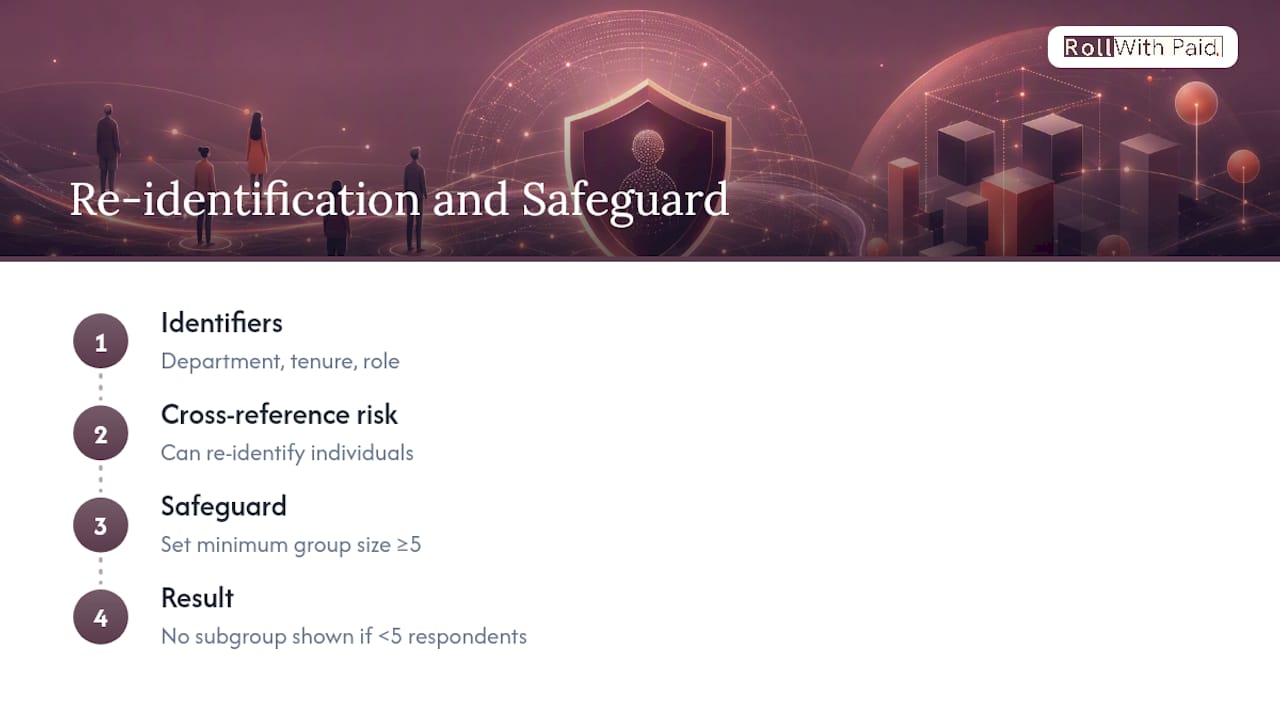
Anonymity settings matter here beyond just encouraging honest responses. If a platform allows individual-level data to be re-identified through cross-referencing (department plus tenure plus role, for example), that’s a privacy gap regardless of what the vendor’s marketing calls it. Look for platforms that let you set a minimum group-size threshold, typically five or more respondents, before any breakdown is shown.
Vendor security posture is worth verifying directly rather than trusting a badge on a pricing page. Ask each platform where data is hosted, whether they hold SOC 2 or ISO 27001 certification, and how long response data is retained after a survey closes. Enterprise platforms like Qualtrics EmployeeXM and Microsoft Viva Glint typically publish detailed security documentation; smaller or free tools like Google Forms leave most of that responsibility to you. If you operate in a regulated industry, confirm your I-9 and compliance processes already account for how employee data, including survey participation records, gets stored and audited.
Does the Survey Experience Work Well on Mobile?
Response rates drop fast when a survey doesn’t render cleanly on a phone, and a large share of frontline and shift-based employees never touch a work laptop at all. Mobile accessibility isn’t a nice extra.
Typeform and SurveyMonkey both built their interfaces around single-question, swipe-friendly mobile design, which explains part of their popularity for short pulse checks. Connecteam, aimed specifically at frontline and deskless workers, treats mobile as the primary interface rather than an afterthought. Platforms like Qualtrics EmployeeXM and Culture Amp also support responsive mobile views, though the richer analytics dashboards on the admin side are built more for desktop use.
Test this yourself before committing to a platform: open a sample survey on your own phone, in a browser and not just an app, and see how many taps it takes to submit a response. If it takes more than a minute or requires zooming to read text, expect your least tech-comfortable employees to abandon it. For a dispersed workforce, including retail, cultivation, or warehouse teams without regular desktop access, mobile-first design should weigh as heavily as feature depth when narrowing your shortlist.

Can You Customize Surveys to Match Your Company’s Brand?
Most platforms above the free tier let you apply your company’s logo, color scheme, and a custom domain or subdomain for the survey link. That branding does more than look polished. It signals to employees that the survey is legitimate and internally sanctioned, not a phishing attempt or a generic third-party form, which matters for response rates.
Culture Amp, Qualtrics EmployeeXM, and Lattice all support white-labeled survey experiences as part of their standard enterprise packages. SurveyMonkey and Typeform offer branding customization on paid tiers, while the free versions of Google Forms and Microsoft Forms carry visible platform branding you can’t fully remove.
Beyond visual branding, customization also covers question logic: skip patterns based on department or tenure, multilingual survey versions for distributed teams, and custom demographic fields that match your actual org structure rather than a generic template. If your workforce spans multiple states or includes a large non-English-speaking population, confirm multilingual support directly. It’s inconsistently offered even among the enterprise-tier platforms, and it’s the kind of gap that only surfaces once you’re mid-rollout.
Why Continuous Listening Beats the Annual Survey Habit
The biggest mistake I see in engagement programs isn’t a bad platform choice. It’s treating the survey as the deliverable instead of the starting point. Plenty of organizations run a beautifully designed annual survey, get a solid response rate, produce a polished report, and then let it sit in a shared drive until next year’s cycle reopens the same conversation.
Smaller, more frequent pulses paired with visible action beat a single annual mega-survey almost every time, because they shorten the distance between “employees said something” and “employees saw something change.” Start with one platform, one department, and one specific question you actually intend to act on. Prove the loop works before you roll it out company-wide. A pilot that closes its feedback loop in six weeks builds more trust than a company-wide survey that produces a report nobody follows up on for six months.
— Leah
A Managed HR Alternative for Executing on Survey Insights
Choosing the right survey platform is only half the job. Acting on what employees tell you, updating onboarding, fixing pay classification issues, tightening compliance gaps, requires HR infrastructure that keeps pace with what the data uncovers. That’s the gap Rollwithpaid fills for high-risk industries like cannabis, where a single missed filing or misclassified worker carries real legal exposure.
If your engagement survey surfaces onboarding friction, pay confusion, or compliance anxiety, Rollwithpaid’s Employer of Record model handles multi-state payroll, I-9 support, and regulatory filings so those issues get fixed instead of flagged and forgotten. Clients get accurate rosters that make survey targeting cleaner in the first place, plus dedicated support instead of a generic ticket queue. Roll With Paid’s Employer of Record services are built specifically for cannabis dispensaries, cultivators, and other high-risk operators who need audit-ready compliance alongside their people programs. Visit Rollwithpaid’s home page to book a consult and see whether managed payroll and HR support makes sense alongside your next listening initiative.
FAQ
What is the most popular employee survey tool?
SurveyMonkey and Google Forms see the widest general use because of their free tiers and name recognition, but Culture Amp and Gallup Access are the most widely adopted platforms specifically for structured employee engagement programs.
What are the top employee engagement platforms HR teams compare?
The most commonly shortlisted platforms include Culture Amp, Qualtrics EmployeeXM, Gallup Access, 15Five, Lattice, SurveyMonkey, QuestionPro, Typeform, WorkTango, and Rippling, each suited to a different combination of company size and budget.
Do employee surveys actually work?
Surveys work when organizations act on the results quickly. Companies that close the gap between feedback and action are 12 times more likely to hit 20% or higher revenue growth than those that let results sit unaddressed.
What are the top survey apps for quick pulse checks?
Typeform and SurveyMonkey lead for short, mobile-friendly pulse surveys, while Gallup Access and QuestionPro add validated question banks or AI-driven analytics for teams that want more rigor behind quick check-ins.
Can Rollwithpaid help after a survey identifies HR or compliance gaps?
Rollwithpaid isn’t a survey platform, but its payroll and Employer of Record services for high-risk industries help fix the onboarding, classification, and compliance issues that employee surveys frequently surface.
Recommended
Roll With Paid. is not a law firm and does not provide legal advice. This article summarizes Minnesota law as of August 2026 and is general information only. Tip arrangements are fact-specific; before changing a policy, consult employment counsel or contact DLI Labor Standards at 651-284-5075.