
E-Verify vs. I-9: What Each Does and Which You Need
Form I-9 and E-Verify are not competing options. Form I-9 is the mandatory paperwork every U.S. employer completes for every new hire. E-Verify is an online system that checks the information on that form against federal records, and for most private employers it is voluntary. So the real question is not which one to choose. It is whether you complete the I-9 alone or add E-Verify on top, and what your state, your contracts and your hiring model require.
This guide walks through the differences, the deadlines that trip employers up, what happens when E-Verify returns a mismatch, and how paper and electronic I-9s fit in. We wrote it for owners and operators, including cannabis employers, who need a clear answer without a law-school detour.
TL;DR
- Form I-9 is mandatory for every new hire. E-Verify is a separate, web-based check that is voluntary for most employers, though some states and federal contracts require it.
- E-Verify never replaces the I-9. USCIS describes it as a companion to Form I-9, not a substitute.
- Two clocks run. Section 2 of the I-9 is due within three days of the hire date, and the E-Verify case is due by the third business day after the employee starts work for pay.
- Remote document review has a condition. You can use the DHS-authorized remote alternative only if you participate in E-Verify in good standing.
- A mismatch is not a termination notice. You must follow the referral process and may not take adverse action because of it.
Table of Contents
- What Form I-9 does
- What E-Verify does
- E-Verify vs. I-9 side by side
- Do you have to use E-Verify?
- The deadlines that matter
- What happens when E-Verify returns a mismatch
- Is E-Verify a substitute for the I-9?
- Paper vs. electronic I-9
- Why this matters for cannabis employers
- Our perspective
- How Roll With Paid supports the process
- A short checklist before your next hire
- FAQ
- Sources
What Form I-9 does
Form I-9, the Employment Eligibility Verification form, is how an employer documents that a new employee is who they say they are and is authorized to work in the United States. The employee completes their section, you examine original documents from the acceptable lists, and you complete and sign your section. The form is then retained, not filed with the government.
Two features matter for the comparison:
- It is universal. Every employer, in every state and industry, completes it for every new hire. That includes dispensaries, cultivation sites, processors and the staffing or EOR entities that employ people on behalf of them.
- It is document-based. The I-9 relies on a human examining documents and recording what they saw. It does not check anything against a government database.
Because it depends on your own diligence, the I-9 is where most penalties originate. USCIS notes that failing to complete the form properly may violate section 274A of the INA and can lead to civil money penalties. Paperwork errors (missing dates, incomplete document fields, late Section 2) are the usual culprits, not dramatic fraud.
What E-Verify does
E-Verify is a web-based system that compares the information from Form I-9 with Social Security Administration and DHS records to confirm that a new hire may work in the United States. You enter data from the completed I-9 into a case, and the system returns a result.
A few operating details from the official guidance:
- E-Verify requires the employee’s Social Security number.
- If the employee presents a List B identity document, it must include a photo.
- It cannot be used to reverify expired employment authorization.
- Participants may not use it selectively, prescreen applicants, or take adverse action because of a mismatch.
That last pair of rules is worth underlining. E-Verify is an all-or-nothing program for your new hires at an enrolled hiring site. You cannot run it only on people you have doubts about, and you cannot run it before an offer is accepted and the I-9 is done.
E-Verify vs. I-9 side by side
| Form I-9 | E-Verify | |
|---|---|---|
| Required? | Yes, for every employer and every new hire | Voluntary for most employers; required in some states and for some federal contractors |
| What it is | A form and document review | An online case checked against SSA and DHS records |
| Who does the work | Employee and employer | Employer, after the I-9 is complete |
| Key deadline | Section 2 within three days of the hire date | Case created by the third business day after work for pay begins |
| Retention | Three years after hire or one year after employment ends, whichever is later | Keep E-Verify case records with the I-9 file |
| Can it stand alone? | Yes | No, it depends on a completed I-9 |
| Remote document review | Only with the DHS alternative procedure | Participation in good standing is what unlocks that procedure |
The retention rule in the table comes from USCIS: three years after the date of hire, or one year after employment ends, whichever is later. Mark that date at the time you file, since terminated employees’ forms are the ones that go missing.
Do you have to use E-Verify?
For most private employers, no, at the federal level. But “voluntary” has exceptions that catch growing businesses:
- State law. Several states mandate E-Verify for some or all employers. Florida, for example, requires private employers with 25 or more employees to use it for new hires, beginning July 1, 2023. Other states have their own thresholds, and legislatures keep adjusting them, so check your state’s current statute before you assume you are exempt.
- Federal contracts. An employer with a federal contract containing an E-Verify clause generally must use it.
- Choice. Some employers enroll to gain the remote document review option, to reduce the chance of hiring someone without authorization, or because a lender, insurer or client prefers it.
Multi-state operators should treat this as a map, not a single answer. If you hire in a state that mandates E-Verify and another that does not, you may run E-Verify at some hiring sites and not others. E-Verify enrollment is by hiring site, so your process documents should say which sites are enrolled.
Minnesota is where we are based, and the same logic applies: confirm current requirements for every state where you hire, because the rules for a cultivation site in one state do not carry to a dispensary across the border.
The deadlines that matter
Two timelines run side by side, and mixing them up is the most common mistake we see.
Form I-9
You must complete Section 2 within three days of the employee’s date of hire. The employee’s own section comes first, no later than their first day of work, so the practical move is to send onboarding paperwork before day one and book the document review for the first day.
E-Verify
If you participate, you must create the case no later than the third business day after the employee starts work for pay. A case cannot be created before the I-9 is complete, which is why a late Section 2 cascades into a late case.
A practical rhythm
- Before day one: employee receives the I-9 instructions and the list of acceptable documents.
- Day one: employee completes their section and presents originals.
- By day three: you complete Section 2.
- By the third business day: if enrolled, the E-Verify case is created.
- Within a week of any result: you act on it, and file everything together.
The small gap between “three days” and “three business days” is deliberate in the rules, and a calendar that treats them the same will produce late filings. Weekends and federal holidays are the reason.
What happens when E-Verify returns a mismatch
A mismatch, formally a tentative nonconfirmation, means the system could not immediately confirm the information. It does not mean the employee is unauthorized. Names get misspelled, records are not updated after a name change, and databases lag.
The official process, per the E-Verify user manual:
- Notify the employee of the result in private and in writing.
- Give them the chance to say whether they will contest it.
- If they choose to act, complete the referral in E-Verify as soon as possible, within 10 federal government working days of the result.
- The employee then has eight federal government working days to contact DHS or visit an SSA field office.
Throughout, you may not take adverse action because of the mismatch. That means no suspending, cutting hours, delaying training or withholding pay while the case is open.
If a dispute follows, a documented process protects you. HR teams can borrow structure from these internal investigation steps when they need to record what happened and when. And if an employment decision does end up adverse for any lawful reason, our guide to what belongs in an adverse action notice covers the content to include.
Is E-Verify a substitute for the I-9?
No, and employers have paid for assuming so. A published example: an employer that used E-Verify but did not properly complete its I-9 forms was fined more than $200,000 in civil penalties, according to a law firm’s write-up. The lesson is structural. E-Verify reads from the I-9. If the I-9 is wrong, a clean E-Verify result does not fix it.
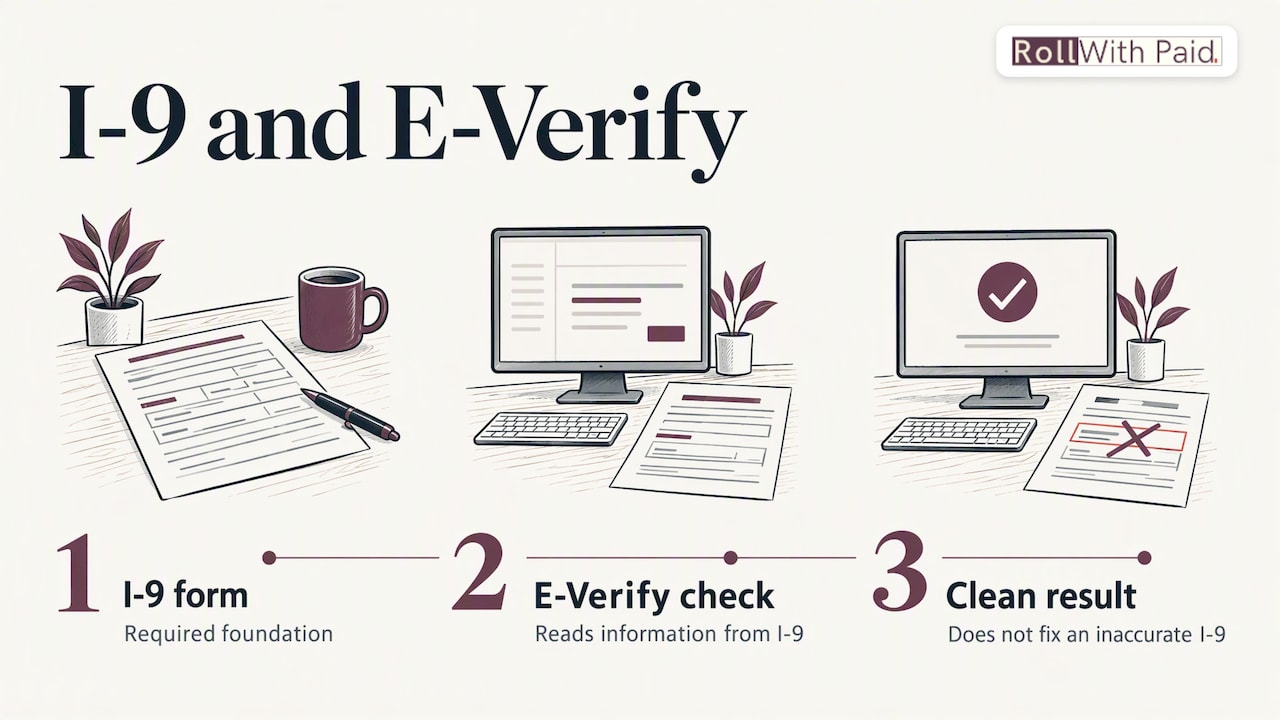
That is also why “E-Verify alternatives” is a slightly misleading search. There is no tool that replaces the I-9, and no tool that stands in for an E-Verify requirement your state imposes. What exists are I-9 management systems, which help you complete, store and audit forms, and which can be used with or without E-Verify. They make the paperwork cleaner; they do not change what the law requires.
Paper vs. electronic I-9
Paper versus electronic is a separate decision from E-Verify versus no E-Verify, though the two overlap.
Electronic is permitted. The Instructions for Form I-9 state that the form may be generated, signed and retained electronically in compliance with DHS regulations at 8 CFR section 274a.2. A scanned PDF kept in a shared folder is not automatically compliant; the system has to meet the regulatory standards for integrity and audit trail.
Document examination. Employers must physically examine documents, or use an alternative procedure authorized by DHS. The alternative procedure is remote examination, and USCIS says you must participate in E-Verify in good standing to use it. That is the one place where E-Verify changes how you complete the I-9 itself.
| Consideration | Paper I-9 | Electronic I-9 |
|---|---|---|
| Error catching | Relies on the reviewer | Can flag blank or inconsistent fields before submission |
| Storage | Physical files, locked and organized | Digital records with access controls and audit trail |
| Retrieval for an inspection | Manual pull, risk of missing forms | Search and export |
| Remote hires | Needs an authorized representative to examine documents in person | Remote alternative available only if enrolled in E-Verify in good standing |
| Retention tracking | Calendar or spreadsheet | Can automate purge dates |
For multi-location or multi-state employers, electronic tends to win on consistency. For a single-site operator with a handful of hires a year, a well-run paper process is still lawful. What matters is that every form is complete, timely and findable.
Why this matters for cannabis employers
Cannabis businesses face the same federal I-9 rules as everyone else, regardless of state legalization, and they often face more hiring volume and turnover than the typical small employer. Seasonal harvest crews, new dispensary openings and quick staffing ramps all compress the three-day window. Add multi-state operations and you have different E-Verify rules in different hiring sites.
Three habits reduce the risk:
- Centralize the I-9 process, even when hiring is local, so forms follow one standard.
- Audit a sample monthly for the usual errors: missing dates, unsigned sections, undocumented list choices, wrong expiration tracking.
- Keep a reverification tickler for employees whose work authorization expires, remembering that E-Verify cannot be used to reverify.
Our I-9 and E-Verify compliance guide for cannabis employers goes deeper on the industry specifics, and the six-step remote I-9 walkthrough shows how remote review works in practice once you are enrolled.
Our perspective
We see I-9 problems at the same moment every time: the business grows faster than its onboarding process. The owner is hiring, the manager is busy on the floor, and Section 2 slides past day three. Nobody meant to be noncompliant. The process simply had no owner.
That is why we do not frame E-Verify versus I-9 as a technology choice. It is a process choice. Whoever handles your onboarding needs a calendar, a checklist and a second set of eyes, whether you use paper, electronic forms or E-Verify.
Traditional payroll providers often treat cannabis employers as an exception to be managed. We built Roll With Paid around the opposite premise: high-risk industries deserve a team that understands their compliance exposure and keeps them audit-ready. Our Employer of Record model is designed to take the onboarding and HR administration burden off the operator, so hiring does not turn into a quarterly fire drill.
If you take one thing from this article, take this: decide who owns the I-9, decide whether E-Verify is required or useful for each hiring site, and write both decisions down.
Leah Kollross
How Roll With Paid supports the process
If you would rather not carry onboarding compliance yourself, we handle payroll execution, HR and compliance solutions, multi-state hiring support and employee onboarding for cannabis and other high-risk employers, under an Employer of Record model. The aim is simple: new hires are onboarded on schedule, forms are complete, and you can show your records when asked.
Pricing depends on gross payroll, worker classification codes and headcount, with an optional flat-rate HR retainer. You can see how it is structured on our pricing page, or start from rollwithpaid.com to talk through your hiring sites.
A short checklist before your next hire
- Confirm whether your state, or any federal contract you hold, requires E-Verify.
- Decide, site by site, whether you are enrolled, and record that decision.
- Send I-9 instructions and the acceptable documents list before the start date.
- Complete Section 2 within three days of the hire date.
- If enrolled, create the E-Verify case by the third business day after work begins.
- Never prescreen, and never act adversely because of a mismatch.
- Store the I-9 and E-Verify records together and note the retention date.
- Review a sample of forms every month.
FAQ
Is E-Verify required in every state?
No. Federally, E-Verify is voluntary for most employers, with exceptions such as federal contractors whose contracts include an E-Verify clause. Some states mandate it for all or some employers, for example Florida for private employers with 25 or more employees. Check your state’s current law before every expansion.
Can I use E-Verify instead of Form I-9?
No. USCIS treats E-Verify as a companion to Form I-9, and the system draws on information from the completed form. You must complete the I-9 for every new hire whether or not you use E-Verify.
Do I need E-Verify to complete I-9s remotely?
If you want to use the DHS-authorized alternative to physical document examination, yes. You must participate in E-Verify in good standing at the hiring sites that use it. Without enrollment, you must examine documents in person, directly or through an authorized representative.
What should I do if E-Verify shows a mismatch?
Notify the employee, give them the chance to contest, and complete the referral in E-Verify as soon as possible within 10 federal government working days of the result. The employee has eight federal government working days to contact DHS or visit an SSA field office. Do not take adverse action while the case is pending.
How long do I keep an I-9?
Keep it for three years after the date of hire or one year after employment ends, whichever is later. Track the date at the time of filing so purges are accurate.
Sources
- E-Verify and Form I-9 | E-Verify
- 1.2 E-Verify: The Web-Based Verification Companion to Form I-9 | USCIS
- 4.0 Completing Section 2 | USCIS
- Employment Eligibility Verification | USCIS
- Governor Ron DeSantis Signs Strongest Anti-Illegal Immigration Legislation in the Country
- 2.1 Form I-9 and E-Verify | E-Verify
- Verification Process | E-Verify
- 3.3 Tentative Nonconfirmation (Mismatch) | E-Verify
- Instructions for Form I-9 | USCIS
- Remote Examination of Documents | USCIS
- Employer’s Use of E-Verify Is Not a Substitute for Completing I-9 Forms
- 7 Internal Investigation Steps for U.S. HR Teams
Recommended
- I-9 and E-Verify: A Compliance Guide for Cannabis Employers
- 6 Step Remote I-9 Verification for Cannabis Employers
Roll With Paid. is not a law firm and does not provide legal advice. This article summarizes Minnesota law as of August 2026 and is general information only. Tip arrangements are fact-specific; before changing a policy, consult employment counsel or contact DLI Labor Standards at 651-284-5075.