
HR Document Management: 9 Tools, or a Managed HR Partner?

The strongest picks split by job: DocuWare for audit-ready retention, DocuSign for e-signature-heavy workflows, PandaDoc for template document automation, BambooHR for HR-first records, and Zoho Docs for budget-conscious teams. Electronic systems satisfy federal recordkeeping rules when they stay readily available, readable, and copyable throughout the retention period, and for employers in regulated or high-risk sectors, a managed HR and Employer of Record partner often handles compliance more reliably than software alone.
TL;DR:
- Electronic records meet federal rules only when they remain complete, readable, readily available, and copyable for inspection throughout the required retention period.
- Keep most personnel records for at least one year and payroll records for three years, and pause automatic deletion when a claim becomes foreseeable.
- DocuSign and PandaDoc handle signing and approvals, but HR teams generally need a separate system of record for long term personnel file retention.
- Before choosing a vendor, verify document specific retention schedules, litigation hold controls, exportability, audit logs, access permissions, backup recovery, and data storage location.
- Dedicated document systems offer deeper retention and audit controls than HRIS platforms, while HRIS tools bundle files with payroll and benefits administration.
Table of Contents
- Shortlist of the Best HR Document Management Tools
- Comparing Features, Security, and Pricing Shape Across Tools
- What Each Tool Actually Does Well
- How to Choose the Right Fit for Your Organization
- Rolling Out Your New System in the First 90 Days
- How We Selected and Evaluated These Tools
- When Software Alone Isn’t the Whole Compliance Answer
- A Managed Route for Compliance-Heavy Employers
- FAQ
- Sources
Shortlist of the Best HR Document Management Tools
Before comparing every feature side by side, it helps to know which tools actually deserve a closer look. We built this shortlist around vendors with genuine document management depth: structured retention, access controls, and workflow automation, rather than general-purpose file storage that happens to hold HR files.
- DocuWare: best for organizations that need structured retention schedules and audit trails baked into the platform, available in the U.S. on a subscription model with tiered plans.
- DocuSign: best for teams whose document workflow centers on signatures, offer letters, and legal agreements, sold in the U.S. on a per-user subscription.
- PandaDoc: best for HR teams that want template offer letters, contracts, and approval chains in one flow, priced per user on tiered subscription plans.
- Box: best for larger organizations that already run enterprise security programs and need HR documents to fit inside them, sold on tiered per-user subscriptions.
- BambooHR: best for small and mid-size HR teams that want employee records and documents inside the same system they use for everything else, priced per employee on subscription tiers.
- DocuPhase: best for operations-heavy companies that need configurable approval workflows layered over document capture, sold on a subscription basis sized to the organization.
- DocStar ECM: best for companies with complex, high-volume document sets that need advanced capture and indexing, priced on a quote-based subscription.
- Zoho Docs: best for small teams that want affordable document storage with basic access controls, available in the U.S. on low-cost tiered plans.
- Rippling: best for companies that want document management folded into a broader HRIS and payroll platform, priced per employee per month with add-on modules.
A few patterns stand out. The tools built specifically for document management (DocuWare, DocStar ECM, DocuPhase, Box) tend to offer deeper retention configuration and audit logging than general HR platforms, because that is their core product. The HRIS-first tools (BambooHR, Rippling, Workday) treat documents as one module among many, which is convenient if you already run payroll or benefits through them but can mean shallower retention controls. E-signature specialists (DocuSign, PandaDoc) excel at the signing and approval step but are not built to be your system of record for years of personnel history.
Pricing shape matters as much as the sticker price. Most of these vendors price per user or per employee per month, with tiers that unlock advanced security or automation features at higher levels. None of the document-management-focused vendors publish flat, one-size pricing because storage volume, user count, and workflow complexity all affect the quote. If a vendor you are evaluating only lists “contact sales” for pricing, that is normal for this category rather than a red flag.
One more consideration before you move to the detailed comparison: availability. Every tool on this shortlist operates in the U.S. market and supports U.S. employment document types (I-9s, W-4s, offer letters, policy acknowledgments). Some, like Avokaado and factoHR, have stronger footprints in other regions and may have thinner U.S. support networks, which we flag in the mini reviews below.
If your organization is weighing document software against a fully managed HR and payroll partner, keep reading. The comparison table and mini reviews below cover the software landscape in depth, and the perspective section later in this article addresses when managed HR and Employer of Record services solve the compliance problem more completely than any document tool by itself.
Comparing Features, Security, and Pricing Shape Across Tools
The table below lines up the nine shortlisted tools against the dimensions that matter most for HR document management: what they store and index, how they secure access, how workflows move, what they integrate with, how they deploy, and how pricing is structured.
| Tool | Best for | Core document features | Security & access controls | Workflow & approvals | Integrations | Deployment | Pricing shape |
|---|---|---|---|---|---|---|---|
| DocuWare | Structured retention and audit trails | Indexing, full-text search, retention rules | Encryption, role-based access, audit logs | Configurable approval workflows | Payroll and ERP connectors | Cloud or on-premises | Tiered subscription |
| DocuSign | Signature-heavy agreement workflows | Document storage tied to signed envelopes | Encryption, audit trails on every signature | Signature routing and approval chains | Broad third-party integrations | Cloud | Per-user subscription |
| PandaDoc | Templated contracts and offer letters | Template library, version control | Encryption, access permissions | Approval workflows with integrated signing | CRM and payroll integrations | Cloud | Tiered per-user subscription |
| Box | Enterprise security and ecosystem fit | Centralized storage, metadata tagging | Enterprise encryption, SSO, compliance certifications | Workflow automation via Box Relay | Deep integration ecosystem | Cloud | Tiered per-user subscription |
| BambooHR | HR-first records with document features | Employee file storage, e-signature requests | Role-based access, audit logs | Onboarding workflow automation | Payroll and benefits integrations | Cloud | Per-employee subscription |
| DocuPhase | Configurable enterprise workflows | Capture, indexing, document assembly | Encryption, access controls | Highly configurable approval automation | ERP and accounting integrations | Cloud or hybrid | Quote-based subscription |
| DocStar ECM | Advanced capture for complex document sets | Advanced capture, indexing, records management | Encryption, audit trails | Workflow automation for document-heavy processes | ERP and line-of-business integrations | Cloud or on-premises | Quote-based subscription |
| Zoho Docs | Budget-friendly storage for small teams | Document storage, basic collaboration | Basic access permissions, encryption | Limited workflow features | Zoho suite integrations | Cloud | Low-cost tiered subscription |
| Rippling | Documents inside a unified HRIS | Employee file storage tied to HR records | Role-based access, SSO on higher tiers | Onboarding and offboarding workflows | Native payroll, benefits, IT integrations | Cloud | Per-employee monthly |
A few gaps are worth naming rather than papering over. Several vendors in this category, including some of the newer entrants like Avokaado, do not publish detailed SSO or data residency specifications in public materials, so those details require a direct conversation with sales rather than a guess from a feature page. Where pricing varies this much by plan tier and employee count, we have described the shape of the pricing rather than quoting numbers that would be out of date within a quarter.
Two patterns jump out once the table is in front of you. First, the tools built as pure document or content management systems (DocuWare, DocStar ECM, DocuPhase, Box) consistently offer deeper retention and audit configuration than the HRIS platforms, because records management is their core job rather than a bolted-on module. Second, deployment flexibility narrows as you move toward smaller, cloud-only vendors: Zoho Docs and BambooHR are cloud-only, while DocuWare and DocStar ECM still support on-premises or hybrid setups for organizations with data residency requirements that rule out pure cloud storage.
What Each Tool Actually Does Well
Here is where the shortlist earns its keep: what each tool is, who it fits, and how it handles the compliance details that matter most, retention, audit trails, encryption, and integrations with the rest of your HR stack.
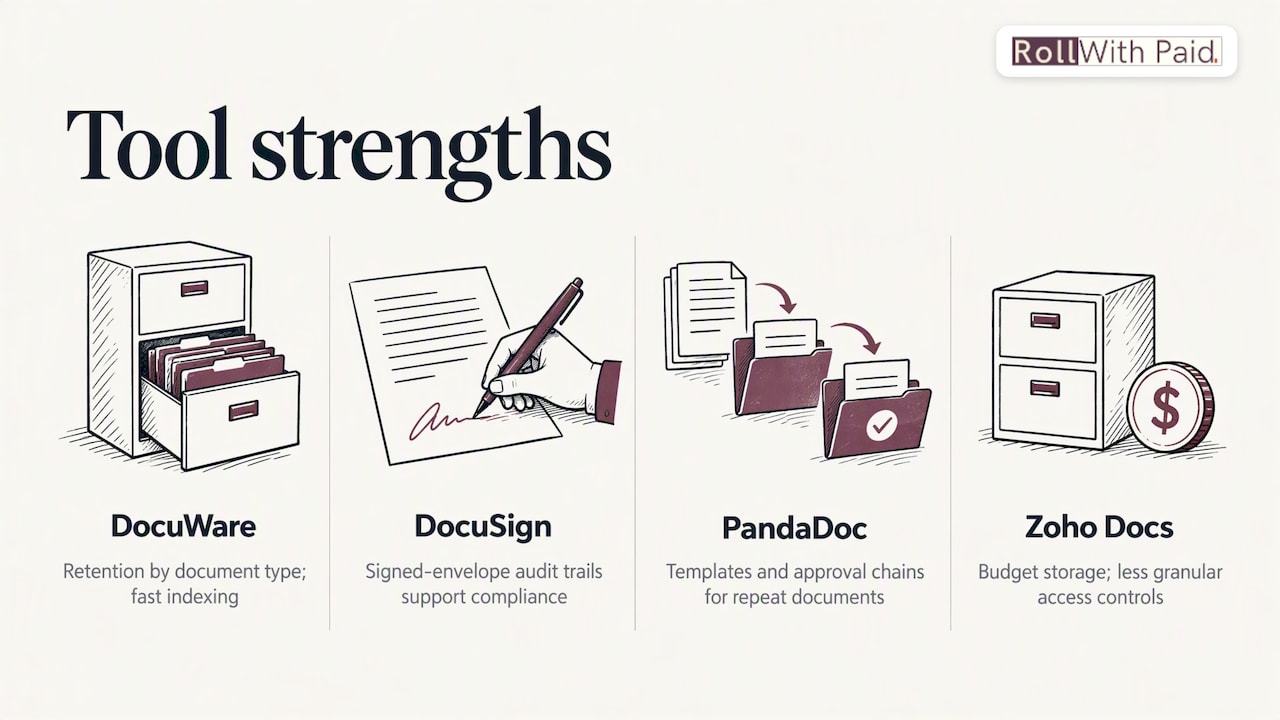
DocuWare is a document management platform built around secure storage, indexing, and workflow automation rather than HR specifically, which is exactly why it handles retention so well. Its best fit is an organization that needs configurable retention rules tied to document type, so I-9s, offer letters, and disciplinary records can each follow their own schedule without manual tracking. The standout feature is its indexing engine, which lets HR teams pull up any document by employee, date, or category in seconds, a real advantage when responding to an OFCCP records request. Audit trails log every view, edit, and deletion, and the platform integrates with several payroll and ERP systems, though it requires more setup time than a plug-and-play HRIS module.
DocuSign remains the reference point for e-signature workflows, and for HR teams that run offer letters, policy acknowledgments, and contractor agreements through it, the audit trail on every signed envelope doubles as a compliance record. It is not built to be a long-term document repository the way DocuWare or DocStar ECM are, so most HR teams pair it with a separate system of record rather than relying on it for retention. Its integrations run wide across HRIS and payroll platforms, and single sign-on is available on business-tier plans.
PandaDoc takes a similar signature-and-workflow approach but leans harder into templates, which suits HR teams sending repetitive documents like offer letters or benefits elections at volume. Approval chains route a document through the right managers before it reaches a candidate or employee, and version history keeps a clean record of what changed and when. Encryption and access permissions are standard, though like DocuSign, it functions better as a creation and signing layer than as your retention system of record.
Zoho Docs is the budget option on this list, and it earns that spot honestly: document storage and basic collaboration at a price that small HR teams can justify without a procurement fight. Access controls exist but are less granular than the enterprise-focused tools, and workflow automation is limited compared to DocuPhase or DocStar ECM. For a small HR department storing policy documents and basic personnel files, that trade-off is often fine. For a company facing OFCCP audits, it is worth a harder look at whether the access and audit logging go deep enough.
DocuPhase targets operations-heavy organizations that need document capture tied to configurable approval workflows, often stretching beyond HR into accounts payable and other back-office processes. Its strength is flexibility: workflows can be built to match almost any approval chain, and integrations with ERP and accounting systems make it a natural fit for finance-adjacent HR functions. The tradeoff is implementation time, since that configurability comes with a steeper setup curve than a pre-built HRIS module.
DocStar ECM focuses on advanced capture and indexing for organizations drowning in paper or scanned documents that need to become searchable, retained, and auditable. Records management features are a genuine standout, with granular retention rules and strong audit trails that satisfy the kind of scrutiny an OFCCP compliance evaluation brings. It integrates with a range of ERP and line-of-business systems, and supports both cloud and on-premises deployment for organizations with data residency constraints.
Monday.com is not a document management platform at its core, it is a work management tool with document storage and HR templates layered on top, which makes it a reasonable fit for teams that want lightweight document tracking inside a system they already use for projects and tasks. Its boards and automations are flexible, and integrations with HR tools exist, but dedicated retention configuration and audit logging are thinner than on a purpose-built document system.
Box brings enterprise-grade security certifications and a deep integration ecosystem, which makes it attractive to larger organizations that already have a security and compliance program built around it. Workflow automation through Box Relay covers approval chains reasonably well, and single sign-on plus granular permissions are standard on business tiers. It is less HR-specific than BambooHR or Rippling, so HR teams typically layer their own folder structure and naming conventions on top rather than getting HR-tailored templates out of the box.
Kohezion offers a customizable employee file and database platform built around form-driven data capture, which suits teams that want to design their own record structure rather than adopt a vendor’s fixed schema. That flexibility is also the tradeoff: teams need to invest time building out forms and fields before the system reflects their actual recordkeeping needs.
Thrivea positions itself as an HR platform combining employee data and document storage with access controls tied to the broader HR record rather than documents living in a silo. It fits organizations that want one system covering both HR data and files, though it has a smaller footprint than established HRIS platforms, so integration breadth is worth confirming directly with the vendor.
BambooHR, Rippling, Workday, UKG, GoCo, HR Cloud, HR Partner, Eddy, Factorial, Deel HR, Lattice, Connecteam, Homebase, and factoHR all fall into the HRIS-with-documents category: platforms where document storage is one module inside a broader system covering payroll, benefits, time tracking, or performance management. BambooHR and Rippling offer the deepest document workflows among this group, with onboarding packets, e-signature requests, and role-based access tied directly to the employee record. Workday and UKG serve larger enterprises and bring more configurable retention and audit capability, at a corresponding jump in implementation complexity and cost. GoCo, Eddy, Factorial, HR Cloud, and HR Partner suit small and mid-size teams that want documents bundled with core HR functions without a heavy IT lift. Deel HR specializes in global and contractor workforces, Lattice focuses on performance management with document storage as a supporting feature, and Connecteam and Homebase are built for hourly and shift-based teams where document needs are lighter, think onboarding paperwork and policy acknowledgments rather than complex records management.
DynaFile and Blue Ribbon Technologies (DynaFile) refer to the same digital filing platform, built specifically for HR document management with strong scanning, indexing, and integration into existing HRIS systems. Its standout is bridging paper-based HR files into a searchable digital archive without requiring a full HRIS migration, which makes it a practical fit for HR teams digitizing years of backlogged personnel files while keeping their existing payroll and HRIS platform in place.
Avokaado brings contract lifecycle and document automation features with a strong European footprint, and U.S. buyers should confirm support coverage and data residency details directly with the vendor before committing, since public documentation on U.S.-specific compliance features is thinner than for the more established names on this list.
How to Choose the Right Fit for Your Organization
Start by naming the job you actually need done, because the three categories here solve different problems. A document management platform (DocuWare, DocStar ECM, Box, DocuPhase) is the right call when retention, indexing, and audit trails are the priority and you are willing to manage HR data separately. An HRIS with document features (BambooHR, Rippling, Workday, UKG) fits when you want one system covering payroll, benefits, and files together, and can accept that document-specific controls are less deep than a dedicated platform. A workflow-first tool (DocuSign, PandaDoc) makes sense when the real bottleneck is getting documents signed and routed quickly, not long-term archival.
Whichever category you land in, run every finalist against this checklist:
- Encryption at rest and in transit so stored files and files in motion are both protected against unauthorized access.
- Audit logs that record who viewed, edited, or deleted a document and when, which you will need if a charge or audit ever reaches your door.
- Role-based access so only the people who need a record, not the whole HR team, can open it.
- Single sign-on to cut down on password sprawl and make offboarding a departing HR staffer’s access actually complete.
- Exportability that lets you pull a clean, complete file set fast when the OFCCP requests records during a compliance evaluation.
- Configurable retention rules tied to document type, since personnel files, payroll records, and litigation-hold documents each follow different clocks.
- Backup and recovery procedures that would survive a vendor outage without losing your record of employment history.
Before signing anything, put these seven questions to every vendor on your shortlist:
- How do you configure retention schedules, and can they differ by document type?
- What happens to a document under litigation hold, and can automateed deletion be paused?
- How does an auditor or regulator get read access to records during an evaluation without exposing unrelated files?
- What is your backup frequency and recovery time if the platform goes down?
- Which payroll, HRIS, and SSO systems do you integrate with natively versus through a third party?
- What SLA do you guarantee for uptime, and what happens if you miss it?
- Where is our data physically stored, and does that location affect our compliance obligations?
Pro Tip: Set your default retention schedule to match the EEOC’s one-year minimum for personnel records and the three-year payroll retention window, then build a litigation-hold trigger that overrides automated deletion the moment a charge or lawsuit becomes reasonably foreseeable.
Rolling Out Your New System in the First 90 Days
A clean rollout follows a predictable sequence: inventory, migrate, configure, train. Rushing the first step can cause implementations to drag past their target date.
- Inventory existing files by type, location, and current format before touching migration, so nothing gets lost in the shuffle between systems.
- Confirm export formats from your old system or file shares and map each field to its destination in the new platform before the real migration begins.
- Run a test import with a small batch of records first, then verify that indexing, search, and permissions behave as expected before migrating everything.
- Set retention schedules per document type, aligning personnel records to the EEOC’s one-year baseline and payroll records to the three-year FLSA window, with longer holds for any record tied to an active charge or claim.
- Configure access controls and backups before go-live, not after, so role-based permissions and recovery procedures are tested rather than assumed.
- Document a litigation-hold procedure now, while there is no active case, so the team knows exactly how to pause automated deletion the moment one arises.
- Assign record ownership to a specific role, not a department, so someone is accountable when a document goes missing or a retention rule needs updating.
- Train the team on where records live, how to search for them, and who approves access requests, then schedule a recurring audit, quarterly is typical, to confirm the system still matches your written retention policy.
The time from selection to full adoption varies with the size of the paper backlog, the number of legacy systems, and the time needed for inventory, migration, testing, and training.
How We Selected and Evaluated These Tools
We built this shortlist around five criteria: security depth (encryption, SSO, audit logging), retention configurability, workflow and e-signature automation, breadth of HRIS and payroll integrations, and confirmed U.S. availability. Tools that lacked public documentation on any of these, or that primarily serve markets outside the U.S. without clear domestic support, were noted as such rather than excluded outright, since HR teams sometimes still need to evaluate them against a specific regional requirement.
Our research drew on vendor documentation, publicly available product and pricing pages, and federal guidance on recordkeeping and electronic records, including the EEOC’s recordkeeping rules and OFCCP guidance on electronic records. We excluded tools entirely out of scope for HR document management, such as general-purpose file sync utilities with no HR-relevant access controls or audit features.
When Software Alone Isn’t the Whole Compliance Answer
Document software solves a real problem: where files live, who can see them, and how long they stay. It does not solve the harder problem underneath, which is whether your payroll, classification, and filing practices are correct in the first place. We have seen the gap between those two things matter most for employers in high-risk or heavily regulated industries, where a clean digital archive of misclassified workers or missed filings is still a liability sitting in a well-organized folder.
Compliance complexity tends to outpace what a document platform alone can manage once an employer operates across multiple states, handles industry-specific licensing requirements, or faces audit risk tied to worker classification and payroll tax treatment, making a practical payroll audit checklist for employers a crucial tool. In those cases, software and a managed HR partner work best together: the platform holds your records, while a partner takes responsibility for the payroll execution and compliance decisions that generate those records in the first place. Software stores the paper trail. A partner is accountable for what is in it.
— Leah Kollross
A Managed Route for Compliance-Heavy Employers
For employers in cannabis and other high-risk industries, the document management question often comes second to a bigger one: who is accountable when payroll, classification, or filings go wrong. That is the gap Roll With Paid is designed to address, with a model that includes audit-ready processes.
- Employer of Record services that provide payroll execution and compliance support, not just document hosting.
- HR & Compliance Solutions built for the regulatory realities of cannabis and other high-risk sectors.
- Multi-State Hiring Support for employers growing across jurisdictions with different rules.
- Seamless Employee Onboarding and Time & Attendance Tools that feed clean, audit-ready records from day one.
This fits cannabis operators, multi-state employers, and other high-risk businesses that traditional payroll providers tend to turn away. Current prices are on our pricing page, or explore our full service overview to start a conversation about what audit-ready really looks like for your business.
FAQ
What kind of software does HR use for document management?
HR teams typically use one of three types: dedicated document management platforms like DocuWare or DocStar ECM, HRIS systems with built-in document features like BambooHR or Workday, or workflow-and-signature tools like DocuSign or PandaDoc. Many organizations combine at least two, using an HRIS for day-to-day records and a signature tool for onboarding paperwork.
Can you give examples of records management systems?
DocuWare, DocStar ECM, and Box are examples of records management systems built around secure storage, indexing, and retention controls. Platforms like Kohezion and DynaFile also function as records management systems, with customizable data capture or scanning-focused digitization as their core strength.
What are the three main types of HR systems?
The three common categories are HR document management platforms focused on secure storage and retention, HRIS platforms that bundle documents with payroll and benefits administration, and workflow or e-signature tools focused on getting documents approved and signed quickly. Most organizations end up using a combination rather than relying on just one.
Do electronic HR records satisfy federal retention requirements?
Yes, properly configured electronic systems can satisfy federal requirements as long as records stay complete, readable, and readily accessible for inspection and copying throughout the retention period. There is no federal rule requiring paper format, but the system must capture everything the original document contained.
How long must employers keep personnel and payroll records?
Under EEOC rules, most personnel records must be kept for at least one year from creation or the relevant personnel action, longer if a discrimination charge or lawsuit is pending. Payroll records fall under a separate three-year retention requirement under federal wage and hour rules.
Sources
- Recordkeeping Requirements | U.S. Equal Employment Opportunity Commission
- 29 CFR § 516.5 – Records to be preserved 3 years. | Electronic Code of Federal Regulations (e-CFR) | US Law | LII / Legal Information Institute
Recommended
- Employee Handbook Software for Multi State Firms
- PTO Tracking Software
- Leave Management Software
- Policy Management Software for HR
Roll With Paid. is not a law firm and does not provide legal advice. This article summarizes Minnesota law as of August 2026 and is general information only. Tip arrangements are fact-specific; before changing a policy, consult employment counsel or contact DLI Labor Standards at 651-284-5075.